Notes · Tasks · Contacts · Publishing — one app

Empty your head.Free your creativity.

Keepsake brings your ideas, your tasks and the people who matter into one app. Capture in three seconds, find everything at the right moment — and publish when it's ready.

One click — you're in. No credit card. 30 days free.

Creators, entrepreneurs and writers are already building their memory on Keepsake.

app.keepsake.place
Jot down an idea…
✓

Inbox

Sort your quick notes

  • today

    Read: The War of Art by Steven Pressfield

  • today

    Book a table for Saturday, somewhere quiet

  • today

    Podcast Paul Martin recommended: “The Taste of Others”

Type. Enter. It's filed.

Your head isn't built to store your life.

An idea in your phone's notes. A task on a sticky note. What Paul told you last spring… nowhere. Nothing talks to anything, so your head does the linking. And it never gets to rest.

Possible title for the bookiPhone Notes
Call Sarah back about the quoteSticky note
Paul's son is starting med schoolNowhere
Everything about the exhibition4 apps
The half-written articleGoogle Docs
Mom's birthday, on the 12thYour head

Keepsake replaces

  • your notes app
  • your to-do list
  • your address book
  • your blog
  • your newsletter tool

One app, where everything connects. Your head can finally let go.

01 — Capture

Write it down. Forget it. Find it again.

Open Keepsake, type, hit Enter: it's in your Inbox. No folder to pick, nothing to decide. From your computer or your phone, even offline, even from a single photo.

Then, when you have five minutes, you sort. Each note goes where it belongs — a task, a journal entry, an article draft. All the way to Inbox Zero.

Four shortcuts, and Keepsake links everything for you:

@Sarah@
links the note to Sarah's profile
#Expo#
files it in your Expo project
T+1
turns it into a task for tomorrow
[[Ideas]]
links it to a page

“The QuickNote system I dictate the moment something pops into my head has really lightened my mental load.”

— Sylvie
app.keepsake.place

Inbox

Sort your quick notes

3
  • Call the printer about the textured paper

    #Expo
    CopyTransform… ▾Merge
  • Coffee with Sarah Lemoine: she's going with option 2

    CopyTransform… ▾Merge
  • Article idea: why I still write by hand

    CopyTransform… ▾Merge
✓

Jot it down now, sort it later.

02 — Organize

Dive into the chaos. Keepsake holds the thread.

Creativity needs mess. Your organization doesn't.

At the center of it all: people

Become the person who remembers.

In ten minutes, you're having coffee with Sarah. You open her profile: meeting at the Nantes fair, the June quote, the delayed launch, what she said on Tuesday. It's all there.

You walk in knowing exactly where things stand. She can tell. That's how trust gets built, one meeting after another.

Every note, task or exchange that mentions @Sarah lands on her profile. And when a relationship starts to fade, Keepsake reminds you.

“The idea of adding contacts is excellent! I've never seen anything like this in other apps.”

— Massi
Coffee with Sarah in 10 minutes
app.keepsake.place
SL

Sarah Lemoine

Art director — Atelier Bréal

🎂 March 14

About

Met at the Nantes fair. Loves Japanese bookbinding.

History (0)

  1. Meeting2 days ago

    Approves the typography, wants to rework the cover. Test print on Monday.

  2. CallJuly 9

    Launch slips to October: her binding is taking longer than planned.

  3. EmailJune 21

    Sent the quote for the cover series. Three formats.

  4. EventMay 25

    Nantes fair. Long talk about Japanese bookbinding — that's where the exhibition idea was born.

Start clear. End calm.

The Today view brings together your intention, your tasks, your journal and the flow of your day, in blocks rather than rigid time slots. Done early? You're free. Not done? Push it to tomorrow, guilt-free.

Today

Today's intention

Finish the exhibition mockup before noon.

Today's tasks

  • Poster mockup

    #Expo
  • Reply to Paul Martin

  • Proofread chapter 3

    #Book
  • Clean up the inbox

Your day

  1. 06:30Wake up

  2. 08:00Writing — 2 h

  3. 10:00Task block

  4. 14:00Workshop with Sarah

  5. 21:30Close the day

Your projects, your space.

Type #Expo# anywhere. Tasks, notes, people, conversations: everything about the project gathers on its Page. Nothing to file, nothing to move.

#Expo

Everything about the project, in one place

Tasks

  • Poster mockup
  • Call the printer

Notes

  • Print list
  • Hanging ideas
  • Exhibition text

People

  • Sarah Lemoine
  • Atelier Bréal
  • Paul Martin

Journal

  • Gallery visit
  • Coffee with Sarah

03 — Share

From spark to the world.

  1. Note
  2. Draft
  3. To review
  4. Ready
  5. Published

Why I still write by hand

keepsake.place/@camille

Camille's Notebooks

Why I still write by hand

The keyboard is faster than thought. The hand forces it to choose.

Email lettersent to 214 subscribers
New subscriber: Julie R.

Your best ideas don't deserve to rot in an Inbox.

A note captured this morning becomes a draft, then an article published on your Page — keepsake.place/@you. A calm space: no likes, no algorithm, no noise.

Your readers subscribe, and Keepsake emails them your new writing. No platform between you and them: your audience is yours.

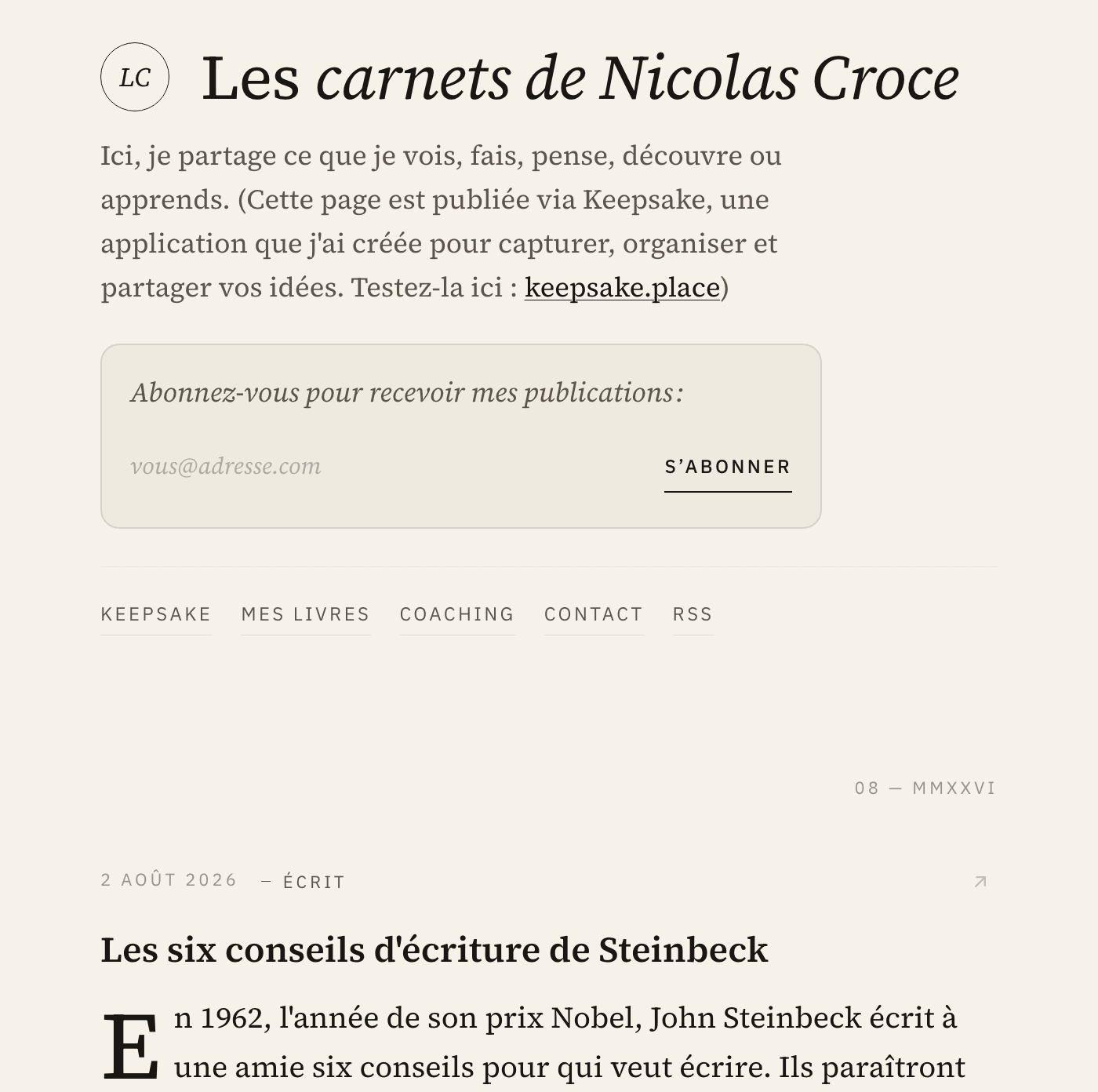
Nicolas Croce's notebooks, a public Keepsake Page

See a real Page: the notebooks of Nicolas, the founder

keepsake.place/@nicolas

“Keepsake is an idea trap that captures everything going through my head to build something worthwhile.”

— Massi

30 days free · No credit card

Your AI, too

Your memory, working for your assistant.

Connect Claude, ChatGPT or any MCP-compatible assistant to Keepsake in two minutes. It finds a past exchange, preps a meeting, creates a task, annotates a note in the margin.

Your memory isn't locked inside an app: it feeds the tools you already use.

I'm having coffee with Sarah in 10 minutes. Where are we at?
KKeepsake · Sarah Lemoine's profile
Add a task: send Sarah the test print on Monday.
✓ Task created in Keepsake — Monday, linked to Sarah

The more you use it, the more irreplaceable it becomes.

Keepsake isn't a tool you adopt then replace. It's a system that compounds.

Every note, every person, every project adds to the ones before. Keepsake draws the lines between them.

A note from the founder

I've always had more ideas than places to put them.

For years, I juggled index cards, five apps and my own memory. I forgot what people had told me. My best ideas died at the bottom of notebooks I never reopened.

So I built the tool I wanted: one place to capture, connect and share. I use it every day, and I improve it every week by listening to the people who use it.

If you recognize yourself in these lines, I think you'll feel at home.
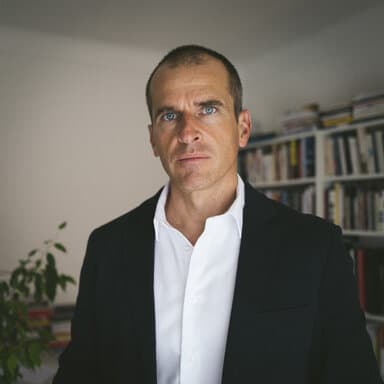
Nicolas Croce

Nicolas Croce

Founder of Keepsake

Keepsake isn't for everyone. Good.

It's for you if…

  • you overflow with ideas and dread losing them
  • you juggle a day job and a passion project without wanting to mix them
  • you want to create with a clear mind — and one day, publish without depending on an algorithm

It's not for you if…

  • you're looking for yet another task manager
  • you want a CRM to close sales
  • your current system suits you perfectly — keep it, truly

What our users say

“Getting started was really fast. The idea of adding contacts is excellent — I've never seen anything like it in other apps. I close out my days in Keepsake and it's becoming a reflex.”
MMassi
“Great for clearing my mind and planning my day. I love the idea of jotting down whatever comes to mind and organizing it all later.”
CClaude
“It's going to help me gather all my thoughts and maybe finally stop accumulating notes and lists on scraps of paper.”
SSandrine
“A brain dump that helps me get organized. I love the simplicity and speed the app brings.”
EEric
“A well-designed app — both simple and effective!”
AArmelle
“A great experience so far — I can't wait to see it evolve.”
EEmmanuelle
“Your system for clearing your head is really interesting.”
YYvan
“Thank you for this beautiful app and the constant improvements you bring to it.”
PPhilippe
“I'm discovering the app and the organization method that comes with it. So far, I love it!”
RRosalie

Testimonials from our French-speaking early users, translated into English.

30 days free · No credit card

Why not just use...

Notion or Obsidian?

You'd have to build the structure yourself—decide on databases, create templates, link everything manually. Keepsake is designed for you from day one.

A CRM like HubSpot?

CRMs are built for sales teams and pipelines. Keepsake is for personal relationships—friends, collaborators, people who matter to you, not leads.

Todoist or Things?

Task managers are great for lists. But they don't connect tasks to people or context. Keepsake shows you why each task matters and who it's for.

Apple Notes or Google Keep?

Simple notes apps keep everything isolated. No connections between people, tasks, and notes. Everything stays in separate silos.

Questions

Start using Keepsake immediately with full access to all features. No credit card required—just create your account and explore everything for 30 days. You'll only enter payment details when you decide to subscribe.

One plan, everything included: €9/month or €89/year (that's €7.42/month — about two months free). Your first 30 days are free, no credit card — you only decide once you've seen what Keepsake changes for you.

Notion is flexible but requires setup—databases, templates, structure. Keepsake is designed from day one: structured around your day and relationships. No configuration needed. Just start using it.

Not in the traditional sense. CRMs are for sales teams—leads, pipelines, conversions. Keepsake is for personal relationships: collaborators, friends, people who matter. It's about remembering, not closing deals.

Task managers are great for lists. But they don't connect tasks to people or context. Keepsake shows you why each task matters and who it's for—your tasks live alongside your notes and relationships.

Yes, always. Your data belongs to you. Export everything anytime in standard formats. No lock-in, no hostage data.

Your data is encrypted and stored securely. We don't sell your information, show ads, or use your content for AI training. Privacy is fundamental.

Your data belongs to you — always. You can export everything at any time in standard formats. If the service ever stopped, we'd notify you well in advance, keep the service running long enough for everyone to retrieve their data, and provide additional export tools if needed. It's a mutual commitment.

Yes! Install Keepsake on your phone like a native app—it works beautifully on phone, tablet, and computer. Your data syncs across all your devices.

Not at all. Keepsake starts with an empty Inbox that fills up naturally as you use it. There's nothing to import, no structure to build. The goal isn't to replace your history—it's to better organize your future. You can import your contacts from a vCard file if you'd like, but it's totally optional.

Yes. Turn a note into an article, publish it on your Keepsake page (keepsake.place/@you), and your readers can subscribe. Keepsake automatically sends a newsletter (daily or weekly) with your new posts. Your subscriber list belongs to you, and you can export it anytime.

Apple Notes stores notes. Keepsake connects your notes, tasks, and contacts into one system. It's the connections between them that save you time—knowing who said what, what's left to do with someone, and what happened when. If your current system works, keep it. But if you feel things slipping through the cracks, Keepsake is built for that.

Today, clear your head. In a year, look at what you've built.

30 days free. No credit card. Then €9/month or €89/year — cancel anytime.

See pricing →